Consumer Mobile App
Lattice
A mobile-first inventory app for crafters, shipped to the App Store in 7 months using AI-assisted development.
18.2% App Store conversion rate in first 5 days (vs. 3-5% industry average)
End-to-end ownership: idea → product → launch
Type
Consumer Mobile App
Platform
iOS (App Store)
Role
Solo Founder, Designer and Developer
Timeline
September 2025 to April 2026
0.0%
App Store Conversion Rate, First 5 Days
7 mo
Concept to App Store, Solo
0
Core Feature Areas Shipped at Launch
tl;dr
Crafters shop blind. I built the fix.
Hobbyist crafters have no reliable mobile way to track their supplies. Spreadsheets break on mobile. Warehouse tools are overkill. Nothing on the market was built for someone standing in a craft store trying to remember what they already own.
Lattice is a mobile-first inventory system covering supply tracking, project planning, and pattern organization. Shipped solo in 7 months using AI-assisted development.
The Problem
Crafters lack a mobile-friendly way to track supplies. Existing tools are either too complex, too narrow, or abandoned.
The Solution
A mobile-first inventory system combining supply tracking, project planning, and pattern organization. Craft-agnostic, and priced for hobbyists.
The Outcome
Shipped solo in 7 months. 18.2% App Store conversion rate in first 5 days.
Problem
The gap became obvious in context.
The User
Hobbyist crafters and multi-medium artists who practice two to four crafts seriously, as hobbies or small side businesses. They buy supplies frequently, store them across multiple locations, and consistently lose track of what they have.
Duplicate purchases. Crafters regularly shop without knowing what they already own. Stained glass sheets run $30 to $60 each.
Stalled projects. Missing a single material mid-build stops everything.
No mobile reference while shopping. No record of what is at home.
Broken workarounds. Spreadsheets that don't work on mobile, camera roll photos with no metadata, or nothing at all.
Why Existing Apps Failed
I looked at 12 competitor apps before writing a line of code. Consumer apps like Easy Stash, MakerLog, and Krafts Inventory were built for single crafts, plagued by trust and paywall issues, or abandoned by their developers. Business inventory tools like Sortly were designed for warehouses: too complex, too expensive, and missing features crafters actually need.
The gap: nothing mobile-first, craft-agnostic, and priced for hobbyists.



Apps reviewed during competitive analysis
Process
Designing directly in code to accelerate iteration.
As a solo builder, I replaced traditional design-to-handoff workflows with a tighter loop: decision, implementation, validation. Building in a live environment forced earlier confrontation with real constraints like scroll behavior, state management, and load times, and produced better decisions faster than static Figma screens alone.
Phase 1
Scope and Strategy
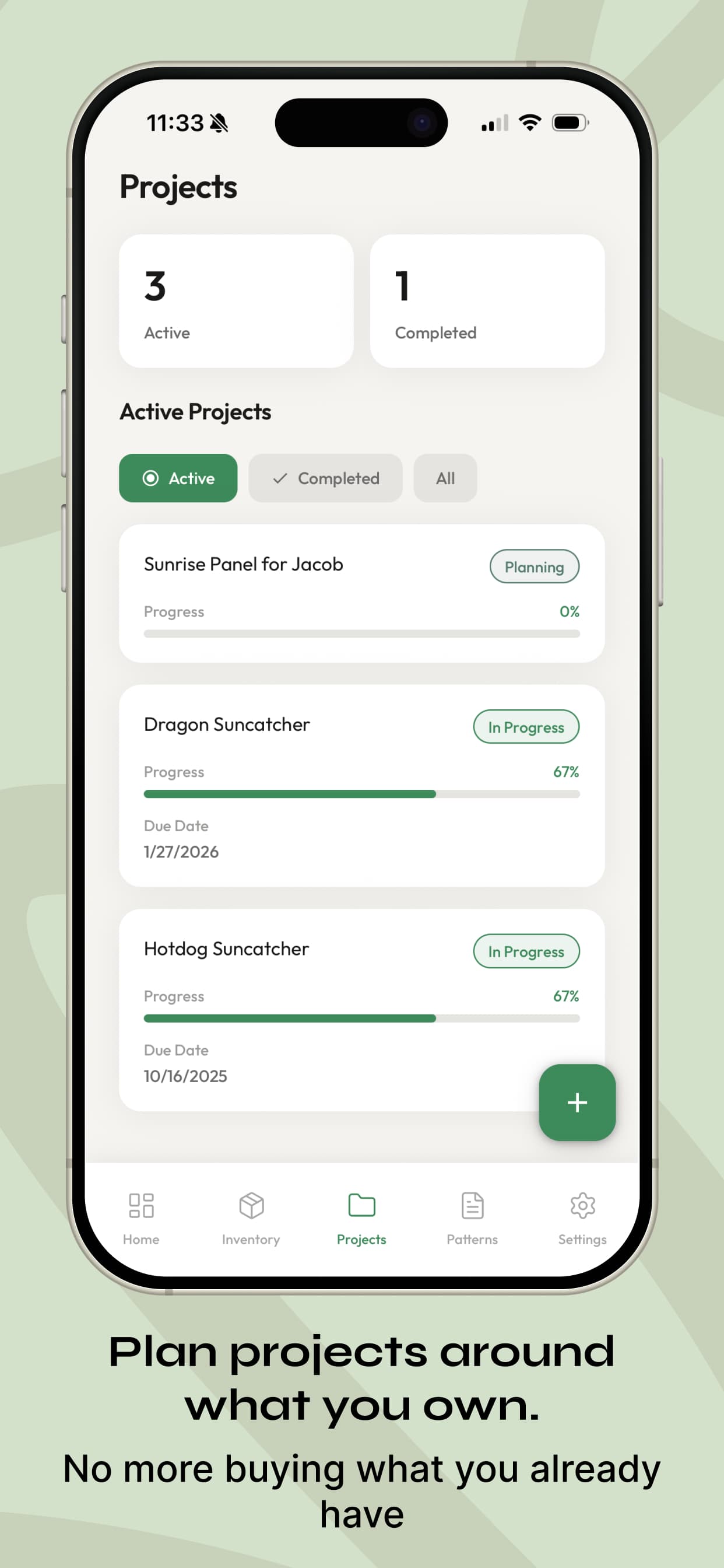
Rather than building everything I could imagine, I locked the MVP to four areas: supply tracking, project management, pattern organization, and a freemium subscription model. Every scoping decision was deliberate:
- All crafts, not yarn-first.Competitors narrowed to one craft. I built craft-agnostic from the start.
- 40 free items, not 75.Enough to demonstrate value without eliminating the reason to upgrade.
- $2.99 per month, not $4.99.Lower friction for hobbyists skeptical of yet another subscription.
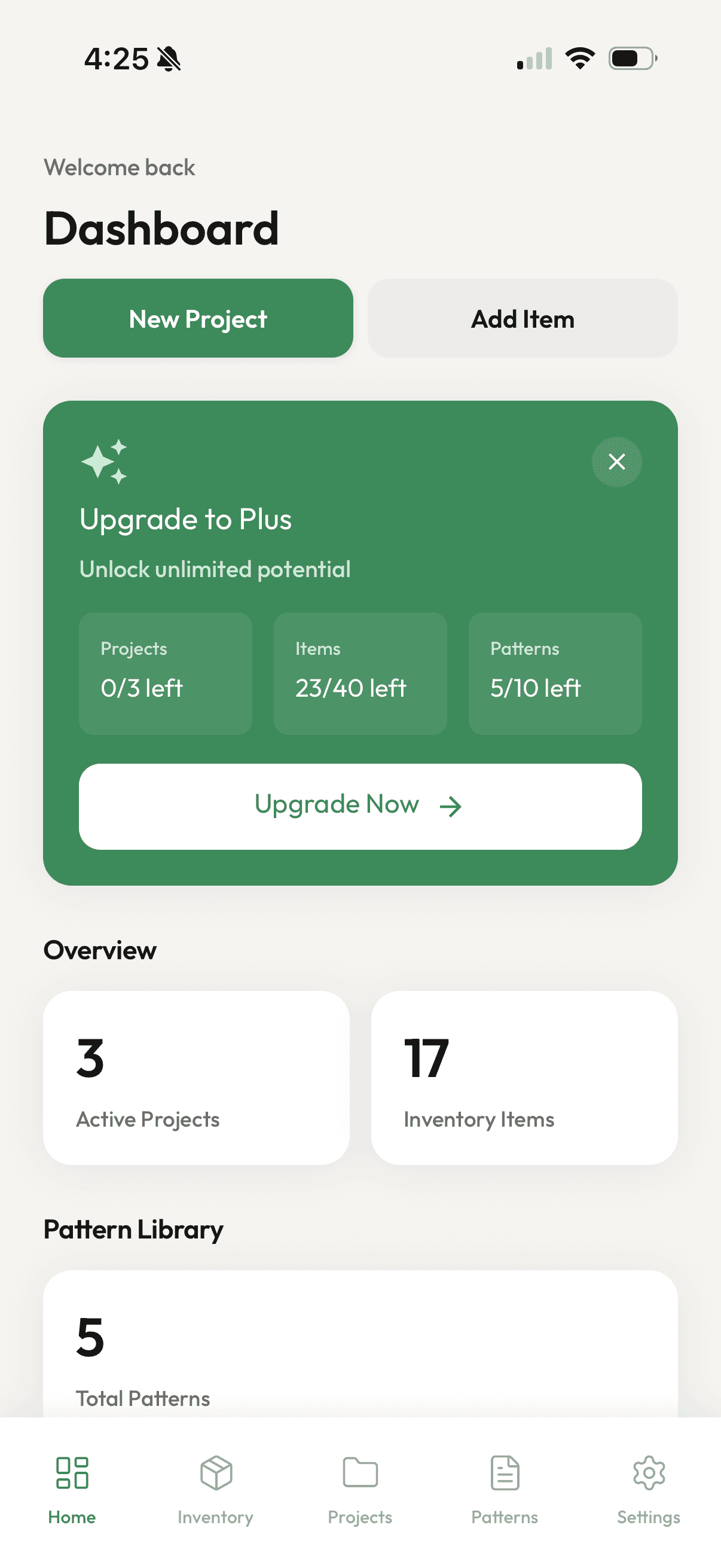
The dashboard: an at-a-glance view of projects, inventory count, and pattern library
Phase 2
AI as an execution layer, not a decision-maker
I used AI-assisted development tools (Claude Code, Cursor) to implement product decisions, not generate them. I defined what to build, how it should behave, and what tradeoffs to make. AI accelerated execution by translating those decisions into working code. That division of labor is what made solo product development feasible without compromising product quality.
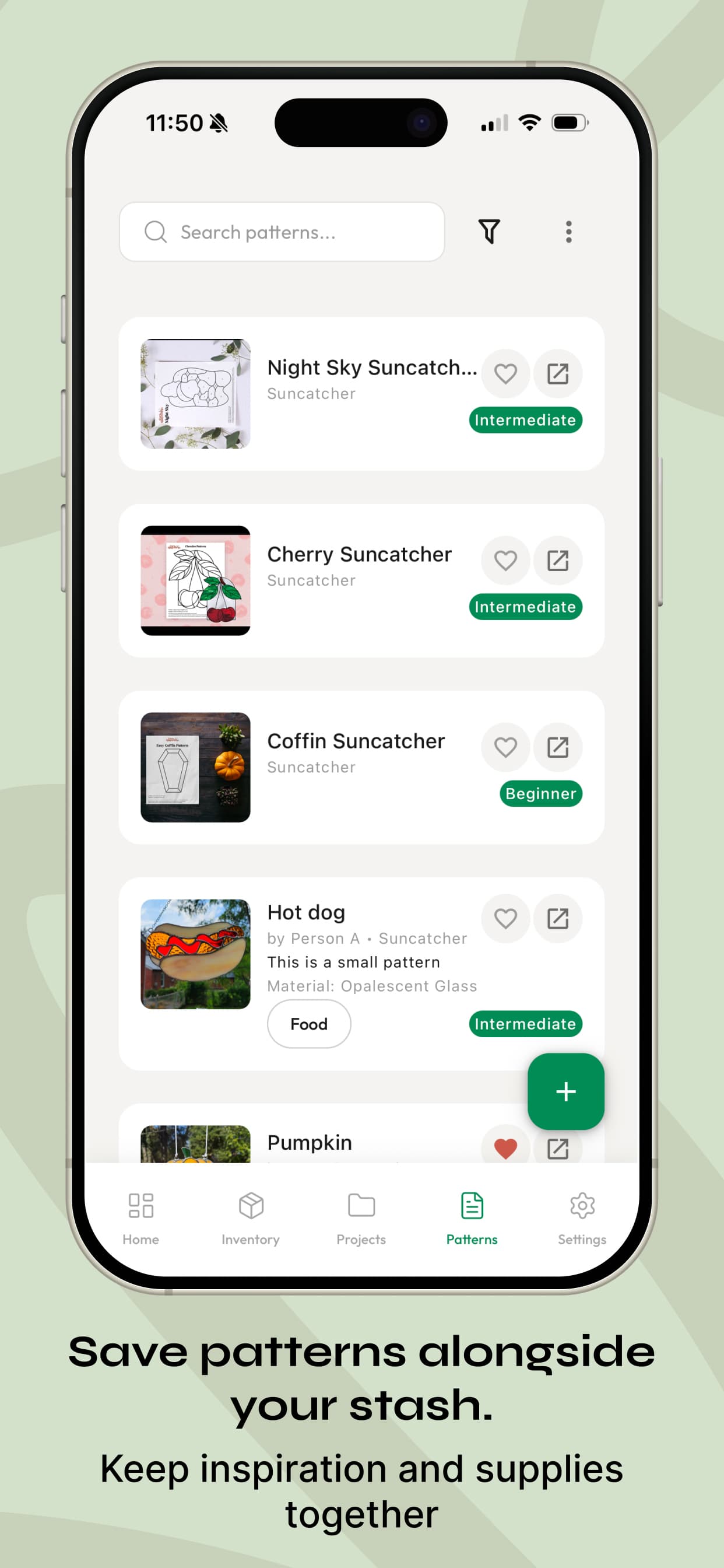
One workflow refinement: I initially prompted Claude Code with written descriptions of the UI I wanted. Results were inconsistent. Switching to Pencil.dev, a tool that lets you sketch rough layouts on an iPad and feed them directly to Claude Code as visual references, significantly tightened the gap between what I described and what got built.
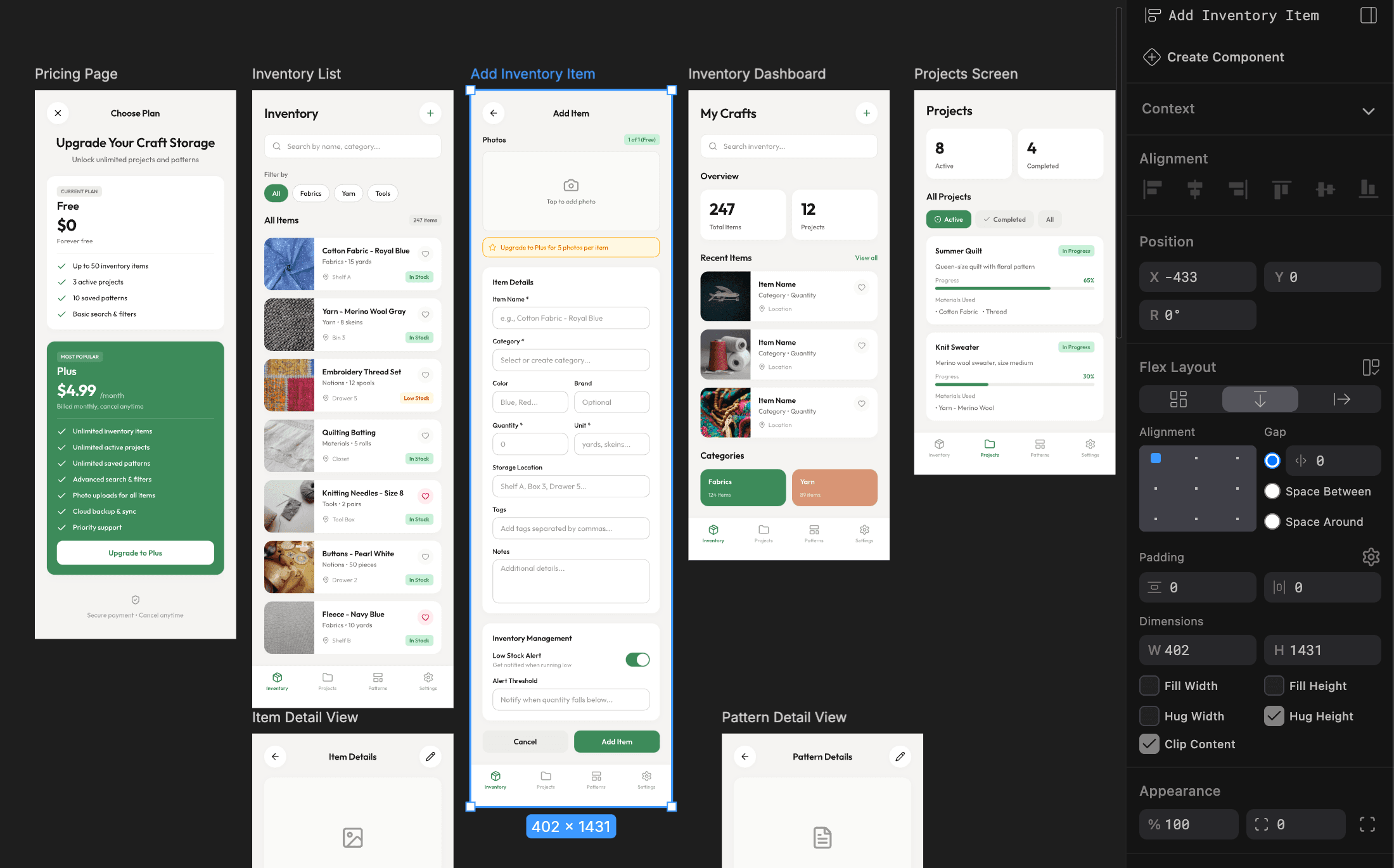
Pencil.dev layouts fed directly to Claude Code: the sketch-to-code workflow that replaced Figma handoff
Phase 3
App Store Submission as a Design Problem
Preparing for App Store submission involved more design work than I expected. Screenshots, preview copy, category selection, and pricing configuration all required the same intentionality as the app itself. The product page is a conversion surface. The 18.2% conversion rate in week one reflects that.
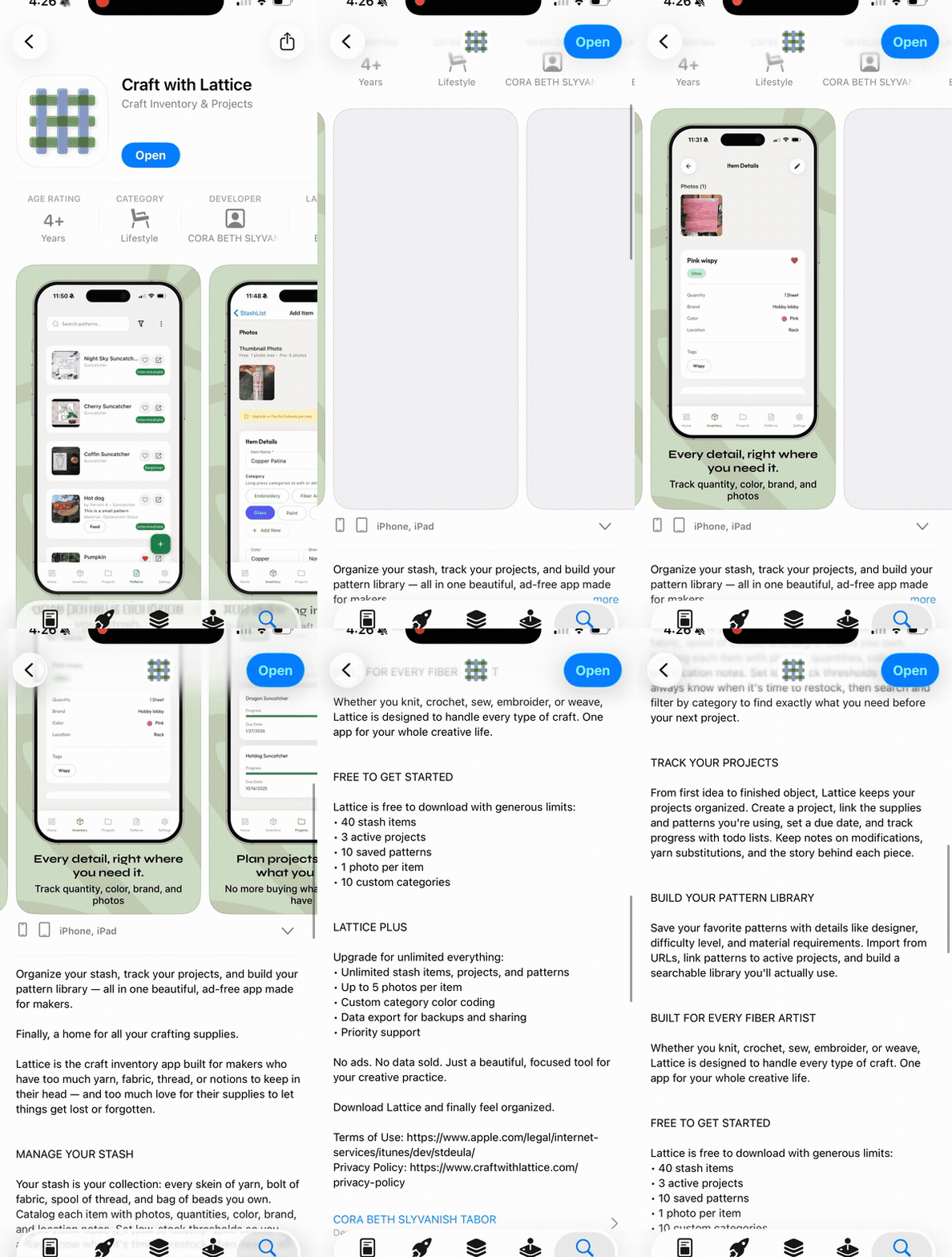
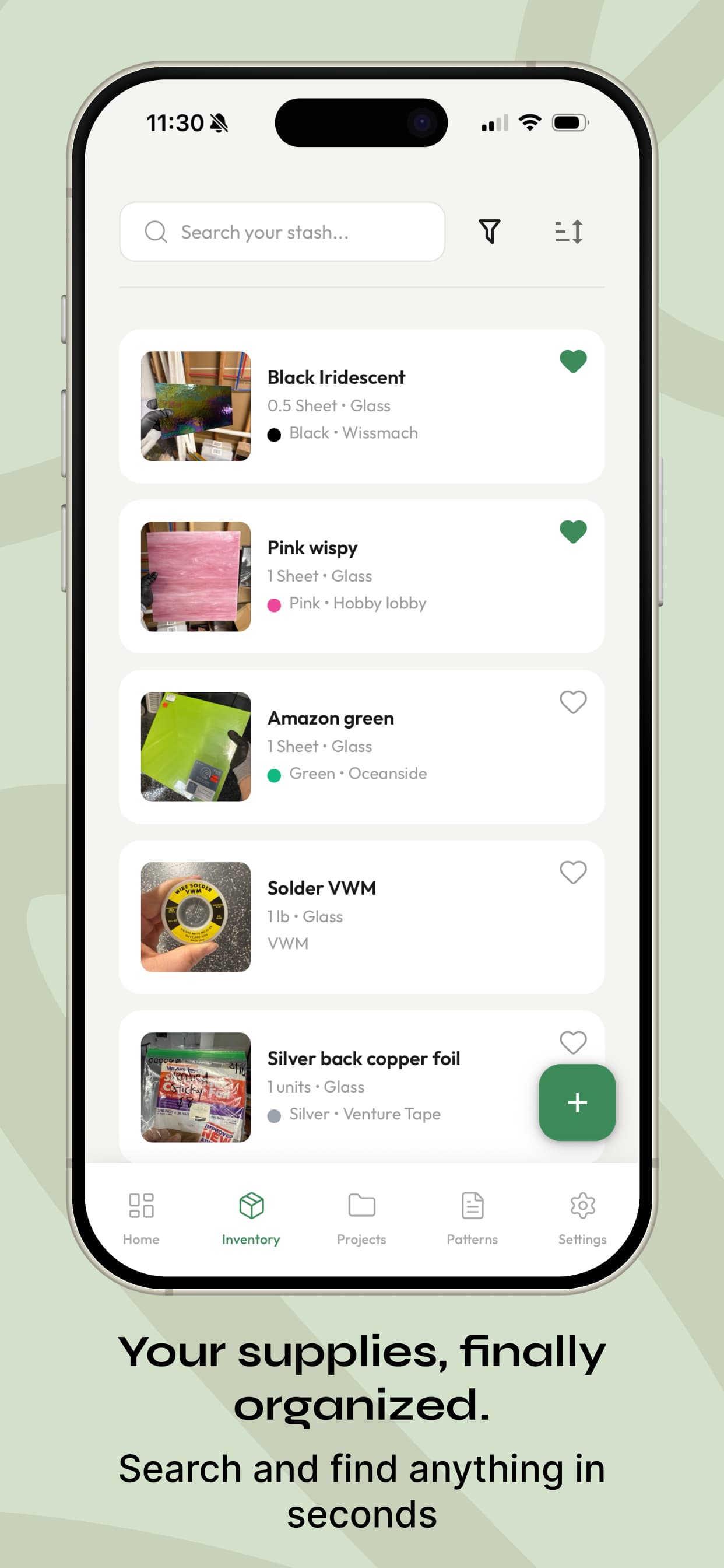
Craft with Lattice app walkthrough
Key Product Decisions
Solution
Four feature areas. One connected system.
Lattice is built around four modules that work independently but are more useful together.
Stash Management
Document supplies with photos, quantities, and custom categories. Color-coded categories for quick visual scanning (Pro). Search and filter to find items without scrolling.
Project Management
Create projects, track progress, and build task lists. Link materials from your stash so you know what you have before you start.
Pattern Library
Upload and organize craft patterns, PDFs or images. Tag by difficulty, type, and material. Favorite patterns for quick access.
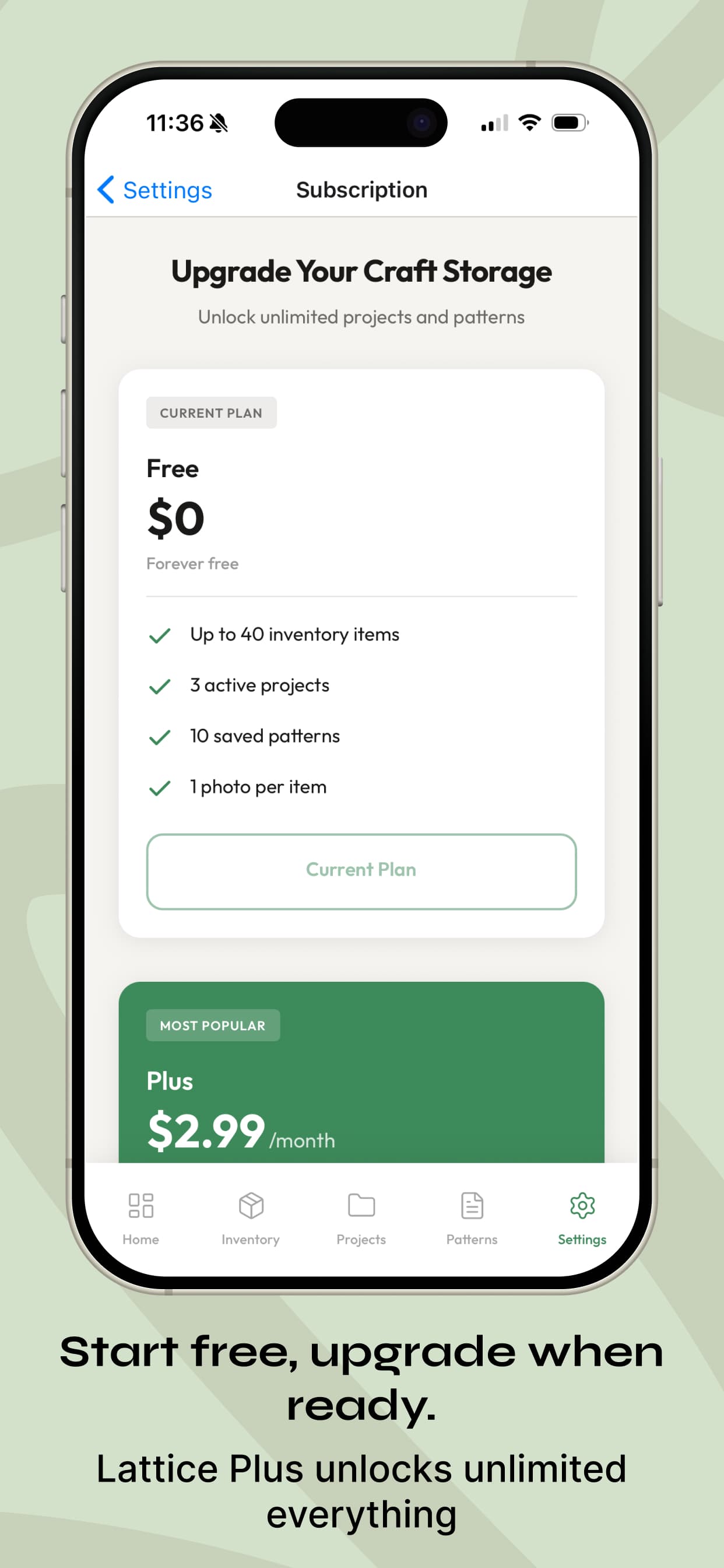
Freemium Model
Free tier covers the core workflow with item limits. Pro ($2.99 per month or $24.99 per year) unlocks unlimited everything, custom category colors, and data export.
Item detail view: every field crafters actually need, nothing they don't
Outcome
Early signal: strong product-market clarity.
In the first five days, 18.2% of App Store product page views converted to downloads, against a typical 3 to 5% for utility apps, with no paid acquisition behind it.
The sample is still small, and I treat it that way. What the early rate suggests is alignment between the problem, the positioning, and the product page. That is the signal the next iteration builds on.
What I learned
Building in code changed how I make design decisions.
Designing in a live environment forced earlier confrontation with real constraints: scroll behavior, state management, load times. I made better decisions faster than I would have from static Figma screens alone.
Scope discipline is what makes solo shipping possible.
Every feature I did not build in v1 was a deliberate choice. The freemium model, the item limits, the iOS-first strategy. All were cuts that let me ship something complete rather than something sprawling.
The App Store listing is a product, not a form.
Screenshots, preview copy, and category selection drove an 18.2% conversion rate in week one. That required the same design thinking as the app itself.
Every decision about what to build, what to cut, how to price, and what the experience should feel like was mine. Claude Code handled the code that implemented those decisions. That division of labor is what made the project feasible as a solo non-developer, and it is a workflow I would use again.
A note on how this was built
Lattice is available on the iOS App Store at craftwithlattice.com
What's Next
Distribution comes next. Then iteration.
The app is built. The gap now is getting it in front of crafters. Community-based distribution, craft Facebook groups and Instagram, is the current focus. The next product iteration will be grounded in real user behavior data rather than pre-launch assumptions.
Real user research
I used AI to pressure-test assumptions pre-launch. Now there are real users. The next design decisions will be grounded in actual behavior data.
Android and barcode scanning
Android is the next platform. Barcode scanning is the most requested feature from craft communities: add an item by scanning a product barcode instead of entering it manually.
More Case Studies